
Alumo: Padel
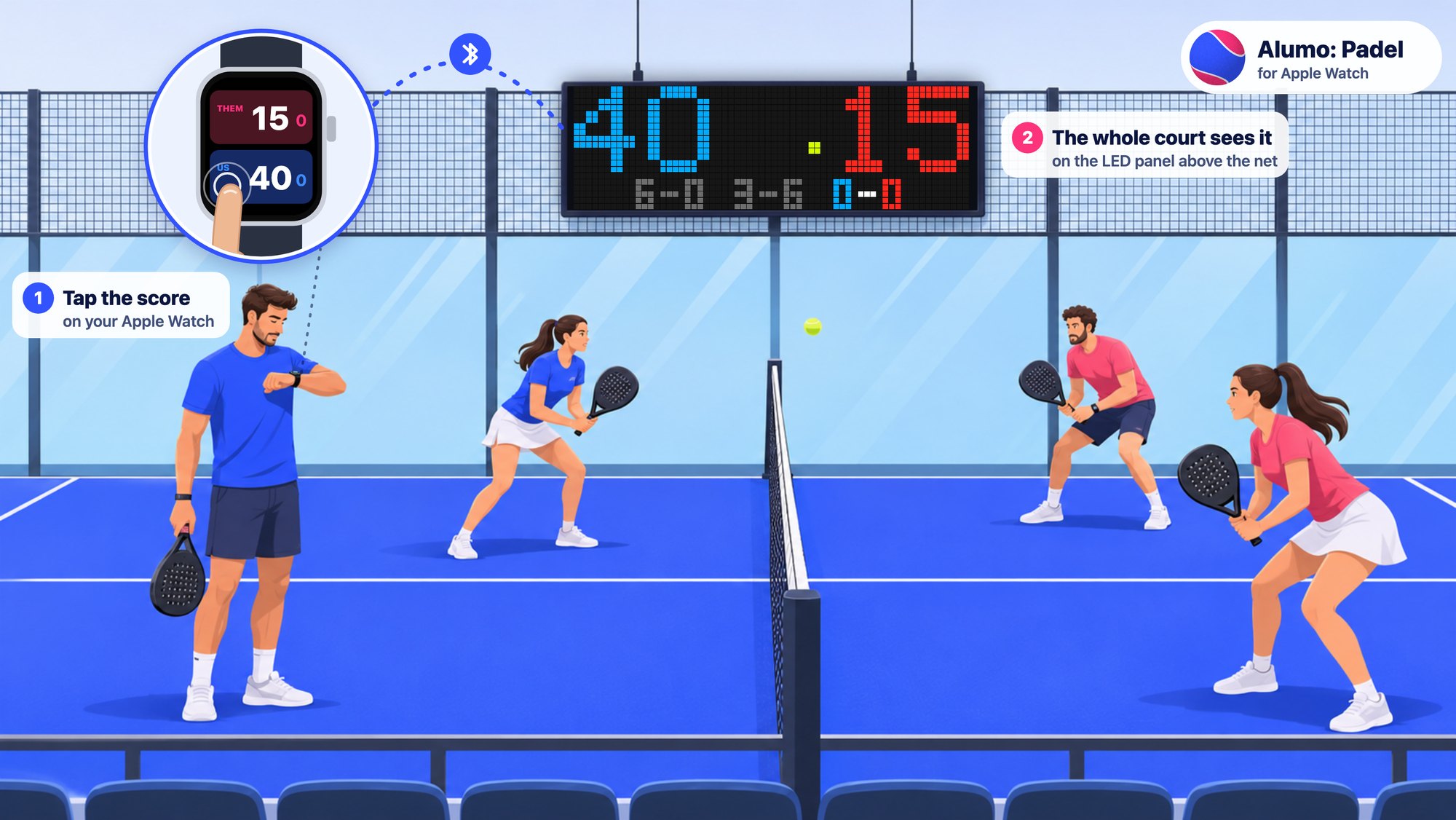
Keep the padel score on your Apple Watch with one tap per point. Bring a small Bluetooth LED panel to the court, and all four players see the score.
What you need
- An Apple Watch with watchOS 26 or later. There is no iPhone app; the app installs from the App Store on the watch.
- For the court display: a 64×20 iPixel LED panel. Buy it by the app named in the listing, iPixel Color, and the size, 64×20. Other panels are not supported yet.
The panel is optional: without it, the app keeps the score and records the match as a workout.
Get started
- Install Alumo: Padel from the App Store on your Apple Watch.
- Power the panel. If the iPixel Color app on a phone is connected to it, close that app: a panel talks to one device at a time.
- On the watch, open LED panel, then Choose a panel. The nearest panel is at the top. Tap it, and the score appears on the panel.
- Set the rules (golden point, advantage or star point; one set or best of three; super tie-break) and tap Start match.
Keeping score
- Tap the bottom half of the screen, the one nearer your body, when your pair wins a point. Tap the top half for the other pair.
- Undo the last point with the button in the corner, a double tap, or by turning the Digital Crown down. Turn the crown up to put it back.
- Swipe right for the rest: history, a whole game to either pair, switch the server, pause the workout, end the match.
- The match is saved to Health as a paddle sports workout, with your heart rate and calories.
The panel
- When the match ends, the watch turns the panel off and disconnects from it.
- The watch also disconnects after 15 minutes without a point, or when you tap Disconnect. To show the score again, choose the panel in LED panel.
- A panel talks to one watch at a time.
- Swap sides mirrors the score for players on the other side of the net. Brightness sets how bright the panel is.
Questions
The watch does not find the panel
- Make sure the panel has power and you stand near it.
- Close the iPixel Color app on any phone nearby: while it is connected, the panel does not answer the watch.
- Allow Bluetooth for the app on the watch: Settings > Privacy & Security > Bluetooth > Alumo: Padel.
The watch says “Panel not supported”
This version works with 64×20 iPixel panels only. Write to us with the size of your panel and the app named on its box, and we will tell you when it is supported.
Does the panel reach the whole court?
Yes. We played full matches with the panel on the back glass and the watch on the far side of the court.
What data does the app keep?
The score, your settings and the panel you chose stay on your watch. The workout goes to Health on your devices. Nothing is sent to us. Read the privacy policy.
Contact
Write to support@alumo.io. We answer every email, usually within two business days.